Transport
How to Book KTX Tickets With a Foreign Credit Card
Book through KORAIL’s official English site, check the issued ticket in My Ticket, and keep a staffed station counter as your fallback.
Official-source checked Checked
The listed official sources were checked for this version of the guide.
Verification limit: This guide was checked against current KORAIL reservation, ticket, notice, passenger-guide, and press pages plus the Korea Tourism Organization’s visitor transport guide on August 12, 2026. No route search, fare, seat, account, app, card, issuer, 3-D Secure prompt, payment, ticket retrieval, refund, machine, counter, platform, train, or reseller was independently tested. Timetables, fares, sales windows, input fields, card support, authentication, refund deductions, and station procedures can change. Confirm the live result on KORAIL and with your issuer before a time-critical trip.
- Next review
- Change rate
- Reviewed every 30 days
- Sources checked
- 12
Answer in 30 seconds
Start on KORAIL’s official English reservation page. Check the exact stations, travel date and passenger count, then follow the overseas-card payment instructions shown.
Keep the booking email and retrieval password. After payment, open My Ticket and confirm the issued ticket’s date, train, departure time, carriage and seat. A card authorization or screenshot alone is not the ticket. If payment fails, check for an existing booking before trying again.
2026 Suseo booking change — checked August 25: For trains running in August, KTX and SRT still use separate booking channels. For travel on or after September 1, 2026, KORAIL says integrated high-speed tickets, including Suseo departures, can be booked through Korail+ or the KORAIL website. SR says its full SRT app and website booking service ends on August 31, although temporary nonmember booking may remain. Recheck the live operator page and the station printed on the ticket: Suseo Station is not Seoul Station.
Traveler compatibility
- Korean phone number
- Not required
- Foreign-issued card
- Partially supported
- Korean ID
- Not required
- English support
- Partial English
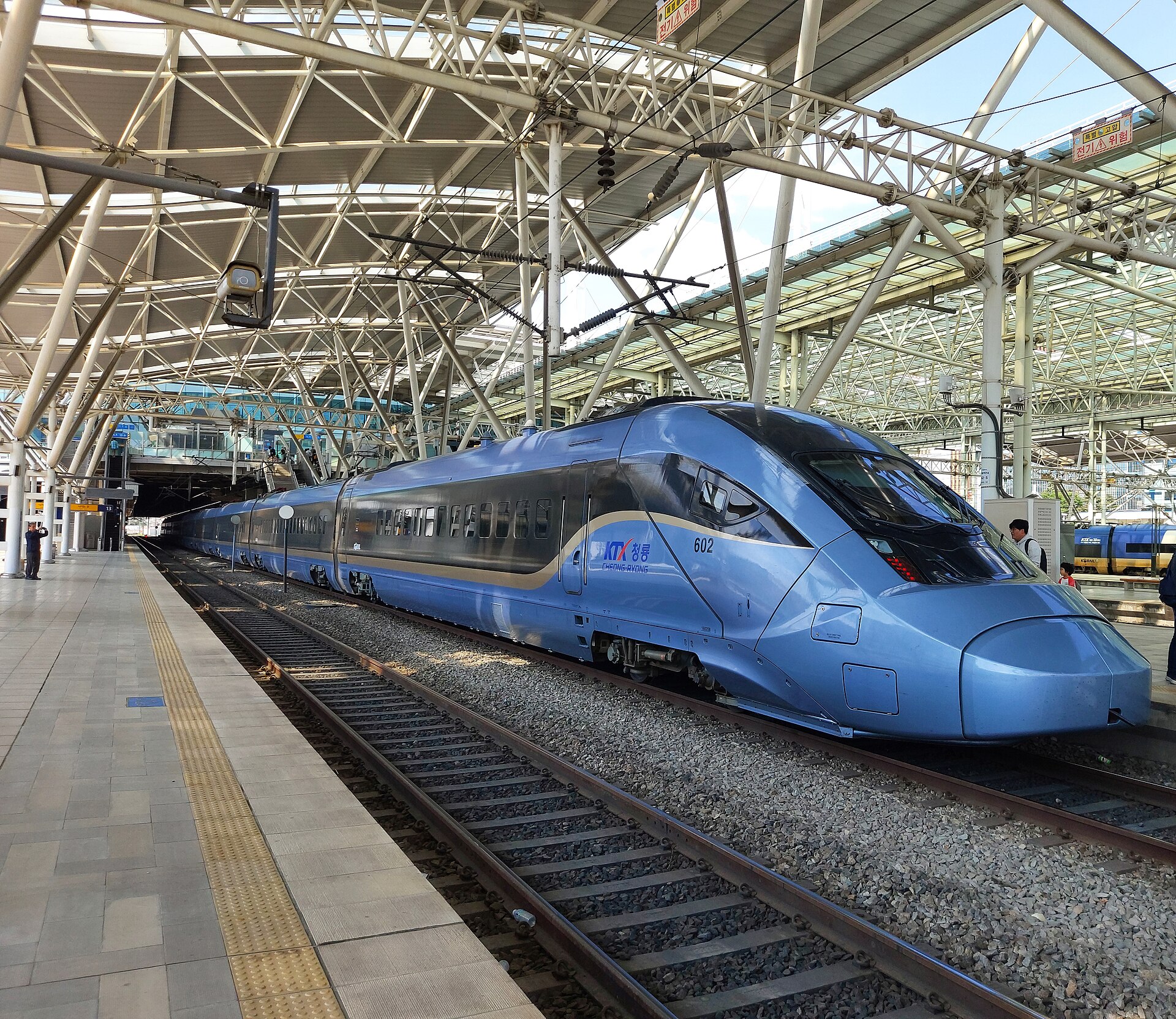

Use the official route first
Start at the KORAIL English reservation page. Do not begin with a search advertisement, an unofficial lookalike, or a reseller merely because its checkout appears easier.
KORAIL also names selected external sales partners. KORAIL’s October 2025 announcement said Klook ticket sales would begin in March 2026, alongside its existing Trip.com, WeChat, and Alipay pathways. KTO’s current visitor transport matrix also lists Klook for KTX online booking. That is a narrow operator statement, not a general endorsement of every site that sells a “KTX ticket.” Use KORAIL directly by default. If you use a partner, follow a current link or name published by KORAIL and compare the exact train, restrictions, currency, fees, and refund route before paying.
KORAIL separately warns about unauthorized resellers including Rail.Ninja and Rail Monster, citing inflated prices and invalid-ticket risk. Never send a passport image, full card number, security code, or authentication code to a person offering to “confirm” a rail ticket.
Before booking: prepare six details
- Confirm the exact departure station. Seoul Station, Yongsan Station, Gwangmyeong Station, and other stations are not interchangeable.
- Confirm the exact arrival station and city. A city can have multiple rail stations or different train services.
- Choose a travel date and a realistic departure window, using Korea Standard Time.
- Prepare an email address you can access abroad and a numeric password you can reproduce exactly for ticket retrieval.
- Prepare an overseas Visa, Mastercard, or JCB that is enabled for international online purchases and 3-D Secure.
- Keep a second card and enough schedule flexibility to use a staffed KORAIL counter if the online path fails.
KORAIL’s ticket guide says ordinary tickets go on sale at 07:00 Korea Standard Time one month before departure. Treat that as the checked rule, not a promise that every train or seat will be available. Holiday demand, timetable changes, maintenance, or a sold-out train can still remove the option you want.


Step by step: book on KORAIL’s English website
1. Open the reservation page and set the trip
Use the official English reservation page. Select the trip type and enter the departure station, arrival station, travel date, approximate time, passenger count, and any passenger category shown. Read the live labels rather than relying on an old tutorial screenshot.
Check the station names one more time before searching. “Seoul” in an itinerary note does not prove the train departs from Seoul Station, and an airport or hotel transfer must be planned to the station printed on the ticket.

2. Compare the returned trains
For each result, check the train type, train number, departure time, arrival time, departure station, arrival station, travel duration, and seat availability. Choose KTX only when the returned service and stations match the trip you intend to take.
Do not assume the fastest-looking row uses the station nearest your accommodation. A later train from the correct station can be safer than a tighter departure from a distant station.
3. Select the available seat or class option
Choose only an option shown as available in the current result. Standard and first-class availability, seat assignment, direction, and onboard facilities can differ by train set. If the interface assigns a seat automatically, verify the final carriage and seat on the issued ticket instead of assuming a preferred position was saved.

.jpg)
4. Enter the required retrieval details carefully
Follow the fields displayed in the current foreign-customer flow. KORAIL’s May 2025 announcement says the web flow was simplified to email and password and removed the former nationality, name, and gender entries. My Ticket uses the saved email address and 6–13 digit numeric password for retrieval.
Use an email address you control. Create a numeric password you can reproduce, but do not reuse a banking PIN or card PIN. Record the email and booking-specific password in a secure password manager or offline note that does not contain the full card number.
5. Choose the overseas-card payment option
Use the overseas-card path and select the network that matches the card. The checked official payment labels name overseas Visa, Mastercard, and JCB. A logo or listed network does not guarantee approval for every issuing country, card product, billing profile, or transaction.
Before confirming, check the fare, currency, route, date, time, and passenger count. If the page shows a conversion or additional charge, read it before accepting; this guide does not claim a fixed exchange rate or universal foreign-card fee.
6. Complete the issuer’s authentication
KORAIL says an overseas-issued card must be enrolled for online 3-D Secure authentication. The issuer may ask for an app approval, one-time password, text message, biometric check, or another method. KORAIL cannot fix an issuer-side authentication error.
If the prompt does not arrive, do not keep submitting the payment repeatedly. Check the issuer app, confirm roaming or authentication access, and contact the card issuer through its official number. Then use a second eligible card or the station-counter fallback.
7. Confirm that an actual ticket was issued
After the payment step, open KORAIL’s My Ticket page using the exact retrieval details. Confirm that the ticket displays the journey date, station names, departure time, train number, carriage, seat, and passenger count.
Do not rely only on a pending card authorization, browser success message, or email subject line. If My Ticket does not show a usable booking, stop and verify with KORAIL before buying again.
8. Keep the live ticket accessible
Keep the live issued ticket accessible on the device you will carry. A screenshot, copy, or photograph is not a valid ticket under KORAIL’s current guidance. Use a privacy-safe note of the station, train number, departure time, carriage, and seat only as a recovery reference, keep the official KORAIL page available, and ask station staff if the live ticket view fails. Treat the ticket’s QR code or barcode as sensitive and never post it publicly.
Understand the sales cutoff
The checked KORAIL ticket guide distinguishes channels:
Swipe or scroll to see all columns.
| Channel | Checked sales cutoff |
|---|---|
| KORAIL website | 20 minutes before scheduled departure |
| Station ticket machine | 10 minutes before scheduled departure |
| Station counter | Until scheduled departure |
These cutoffs do not create a safe last-minute plan. Payment authentication, station travel, queues, platform finding, and boarding all take time, and a train can sell out before the cutoff. Book earlier for a time-sensitive journey and arrive with enough margin for the station printed on the ticket.
At the station: verify before boarding
- Match the station name in My Ticket to the station entrance and current map.
- Check the current departure board for the train number, departure time, and platform.
- Follow official station signs and announcements; a platform can change.
- At the train, match the train number and carriage before entering.
- Sit in the carriage and seat printed on the ticket and keep the ticket available for inspection.
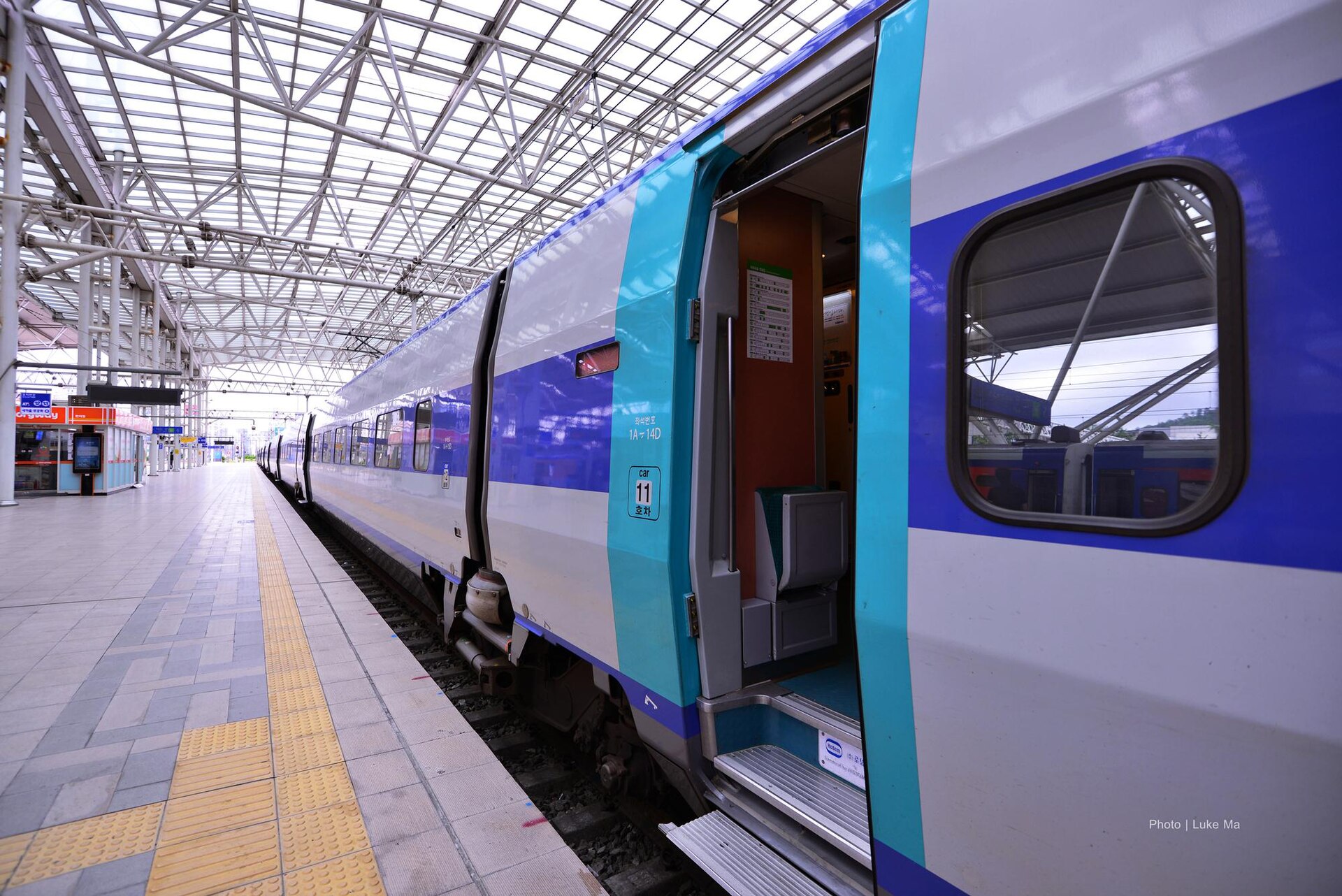

If the station name, date, or train number does not match, do not board based on appearance alone. Show the ticket to KORAIL staff. A photograph of a KTX at a particular platform is never current operational evidence.
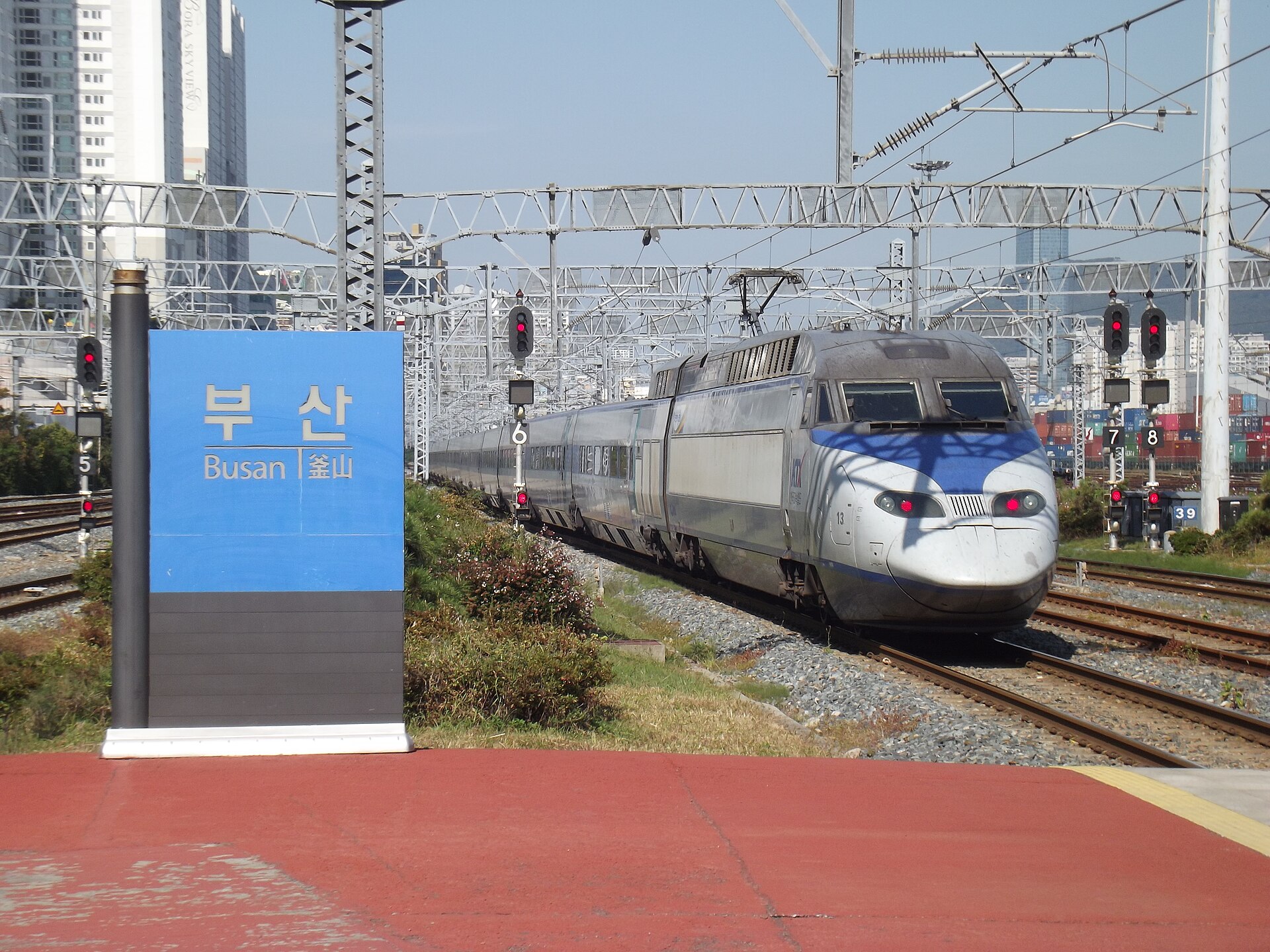

Changes, cancellation, and refunds
Read the live fare and refund conditions attached to the ticket before paying. This guide does not publish a fixed deduction table because the amount can depend on the ticket, timing, train, and current KORAIL rule.
The checked official guidance draws a critical time boundary:
- Before departure, a website or mobile ticket can be refunded through the supported online route.
- After the scheduled departure time, use a station counter; the online route is no longer the safe assumption.
- After the train’s scheduled arrival time, KORAIL says a refund is not available.
If plans change, act before departure and confirm the final refund result. A card reversal can take additional issuer processing time. Keep the cancellation confirmation and check the card account without exposing the ticket code or card details.
If the payment or ticket fails
1. Stop duplicate attempts
If the screen stalls or authentication fails, check My Ticket and the card account before trying again. A pending authorization is not proof of a ticket, but repeated submissions can create multiple pending charges.
2. Verify the retrieval details
Re-enter the email address and 6–13 digit numeric password exactly as entered. Check the date and passenger count used in the retrieval flow. Do not create a new booking until you know whether the first one exists.
3. Separate KORAIL failure from issuer failure
An issuer decline or missing 3-D Secure approval must be handled with the issuer. A KORAIL page or ticket-retrieval error should be checked through KORAIL or at a station. Do not give an authentication code to anyone claiming to be KORAIL support.
4. Try one different eligible card
Use a second overseas Visa, Mastercard, or JCB only after checking for an existing ticket. A card from a different issuer can provide a separate authentication path, but it is still not guaranteed.
5. Move to an official station channel
The KTO visitor transport matrix says foreign cards are accepted at designated KTX counters and newer machines. Machine support can differ, so read the live labels or use a staffed KORAIL counter. Subway ticket offices are not KORAIL intercity ticket counters.
6. Preserve safe evidence
Record the date, time, route, displayed error, transaction amount, and last four card digits if needed for your own issuer inquiry. Never publish the complete ticket, QR code, barcode, card number, security code, password, passport, or one-time code.
Compatibility snapshot
Swipe or scroll to see all columns.
| Requirement | Status | Meaning for this guide |
|---|---|---|
| Korean phone number | Not required | The checked KORAIL English web and retrieval path uses email and a numeric password rather than a Korean phone number |
| Korean bank card | Not required | Use the supported overseas-card option; approval remains issuer- and transaction-specific |
| Korean ID | Not required | The checked foreign-customer web flow removed nationality, name, and gender fields; follow any current passenger field shown |
| English support | Partial | KORAIL provides English reservation and retrieval pages, while issuer prompts, station assistance, and changing notices can vary |
| Foreign-issued card | Partial | The checked interface names overseas Visa, Mastercard, and JCB and requires 3-D Secure; not every issuer or transaction is guaranteed |
What this guide does not guarantee
- It does not guarantee a seat, fare, train type, station, or timetable.
- It does not guarantee that every overseas Visa, Mastercard, or JCB will be approved.
- It does not confirm the Korail+ app’s current nonmember, phone-number, or payment flow.
- It does not reproduce a KORAIL checkout screen or claim that an old screenshot is current.
- It does not treat a photograph as evidence of a booking, platform, carriage, or seat.
- It does not guarantee a reseller merely because the reseller uses KTX or KORAIL in marketing.
- It does not replace the ticket-specific fare, change, and refund terms displayed at purchase.
Frequently asked questions
Do I need a Korean phone number to book KTX?
Not for the checked KORAIL English web path. KORAIL’s simplified foreign-customer flow and My Ticket route use email and a numeric password. Follow the current page if its required fields change.
Which foreign cards does the official checkout show?
The checked overseas-card option names Visa, Mastercard, and JCB. The card must support online 3-D Secure, and the issuer can still decline the transaction.
Can I buy a ticket at the station instead?
Yes. KORAIL lists station machines and counters as sales channels, and the KTO visitor matrix says foreign cards are accepted at designated KTX counters and newer machines. Read the exact machine labels or use a staffed KORAIL counter.
How early can I buy a normal ticket?
The checked KORAIL guide says sales open at 07:00 KST one month before departure. Availability is not guaranteed, especially around busy travel periods.
Is an email receipt enough to board?
Do not assume so. Retrieve the live issued ticket and verify its date, stations, train number, carriage, seat, and passenger count. KORAIL’s current guidance does not recognize a screenshot, copy, or photograph as a valid ticket. Keep the live view accessible and ask station staff if it fails, without publicly exposing the ticket code.
What if I miss the train?
Go to a staffed KORAIL station counter immediately. The checked guidance says post-departure refunds are handled at a station counter and are unavailable after the train’s scheduled arrival time; the ticket-specific deduction can vary.
Should I use a reseller if my card fails?
Use KORAIL directly or a platform currently named by KORAIL. KORAIL has warned about unauthorized resellers and invalid or inflated tickets. An issuer-side 3-D Secure failure may follow the card to another checkout, so contact the issuer and keep the station counter as the fallback.
Official sources
- KORAIL — English ticket reservation
- KORAIL — My Ticket
- KORAIL — Valid-ticket and additional-fare guidance
- KORAIL — Ticket types and sales channels
- KORAIL — Overseas-card and 3-D Secure notice
- KORAIL — Simplified foreign-customer booking and station payment announcement
- KORAIL — Named international sales-platform announcement
- KORAIL — Unauthorized reseller warning
- KORAIL — Korail+ launch and September 1 integrated booking
- KORAIL — September high-speed rail integration
- SR — SRT app and website transition notice
- Korea Tourism Organization — Korea Transportation Guide
Change log
- 2026-09-10 — Added contextual photographs and instructional screenshots with source and privacy notes. This media update does not change the information-verification date or field-test status.
- 2026-09-09 — Clarified the opening instructions and related information; retained existing images, sources and the Guide-wide verification date.
- 2026-08-25 — Added the date-bound August/September 2026 Suseo booking-channel transition from KORAIL and SR official notices. The existing Guide-wide verification date remains August 12 because no booking, app, website, card, payment, station, ticket, train, timetable, fare, refund, or transition was independently tested.
- 2026-08-12 — Initial official-source step-by-step draft created for KORAIL's English reservation and My Ticket paths, overseas Visa/Mastercard/JCB and 3-D Secure boundary, one-month sales opening, channel cutoffs, station and ticket verification, refund timing, official fallback channels, named-partner limit, unauthorized-reseller warning, and five rights-cleared actual photographs. No route, fare, account, app, card, issuer, authentication, payment, ticket, refund, machine, counter, platform, train, or partner was independently tested, and no AI-generated or recreated KORAIL interface was used.