Official-source checked
The short answer
There is no universal best option. Choose an eSIM when your unlocked phone and exact Korean plan are compatible, you can install over trusted Wi-Fi, and you have confirmed whether it is data-only or includes a Korean number, SMS, and voice. Choose a physical SIM when you need counter help, your phone has no accepted eSIM path, or you prefer a removable plan. Choose pocket Wi-Fi when several devices will stay together and one person can manage the separate battery, pickup, deposit, and return.
Do not buy from the word “unlimited” alone. Check carrier lock, exact model and country variant, high-speed or fair-use rules, hotspot permission, validity start, Korean-number and SMS capability, passport requirements, cancellation, counter hours, and the failure route before paying.
- Korean phone number
- Not required
- Foreign-issued card
- Partially supported
- Korean ID
- Not required
- English support
- Partial English
In this guide
The choice in one table
Swipe or scroll to see all columns.
| Question | eSIM | Physical SIM | Pocket Wi-Fi |
|---|---|---|---|
| Best for | One unlocked compatible phone; light setup | Phone without a supported eSIM path; staff-assisted setup | A group staying together; several devices |
| Physical item | None after profile installation | SIM card and safe storage for home SIM | Router, charging cable and sometimes power bank |
| Korean number | Depends on exact plan | Depends on exact plan | No number on connected phones |
| SMS verification | Only if the exact plan supports SMS; not bank/government identity by default | Only if the exact plan supports SMS; not bank/government identity by default | No native Korean SMS on connected phones |
| Existing home line | Can often remain installed on dual-SIM devices | May need to be removed on single-slot phones | Remains unchanged |
| Main risk | Lock, model mismatch, wrong QR timing, profile deletion | Wrong SIM size, locked phone, lost home SIM | Battery, group separation, deposit, pickup and return |
| Return required | No | No | Yes for a rental device |
| Multiple devices | Only through tethering if the plan allows it | Only through tethering if the plan allows it | Core use case |
Treat the table as a screening tool, not a carrier guarantee. A phone can support eSIM generally but still be excluded by a particular Korean operator or device origin. A product can include a Korean number but still restrict outgoing calls, SMS, or identity verification.
Choose eSIM when setup simplicity wins
An eSIM is a carrier profile downloaded to a supported phone. It avoids swapping a physical card and can let a dual-SIM phone keep the home line available while Korean data uses the travel line.
It is the best starting choice when all of these are true:
- the phone is carrier-unlocked;
- the exact device model and country variant appear compatible with the chosen Korean product;
- the phone exposes an EID or an Add eSIM flow;
- you can connect to trusted Wi-Fi during installation;
- you know whether the validity period starts at installation, first Korean data use, or another event;
- you have saved the QR code and manual activation details somewhere other than the phone being configured; and
- data-only service is enough, or the exact voice/SMS product meets your needs.
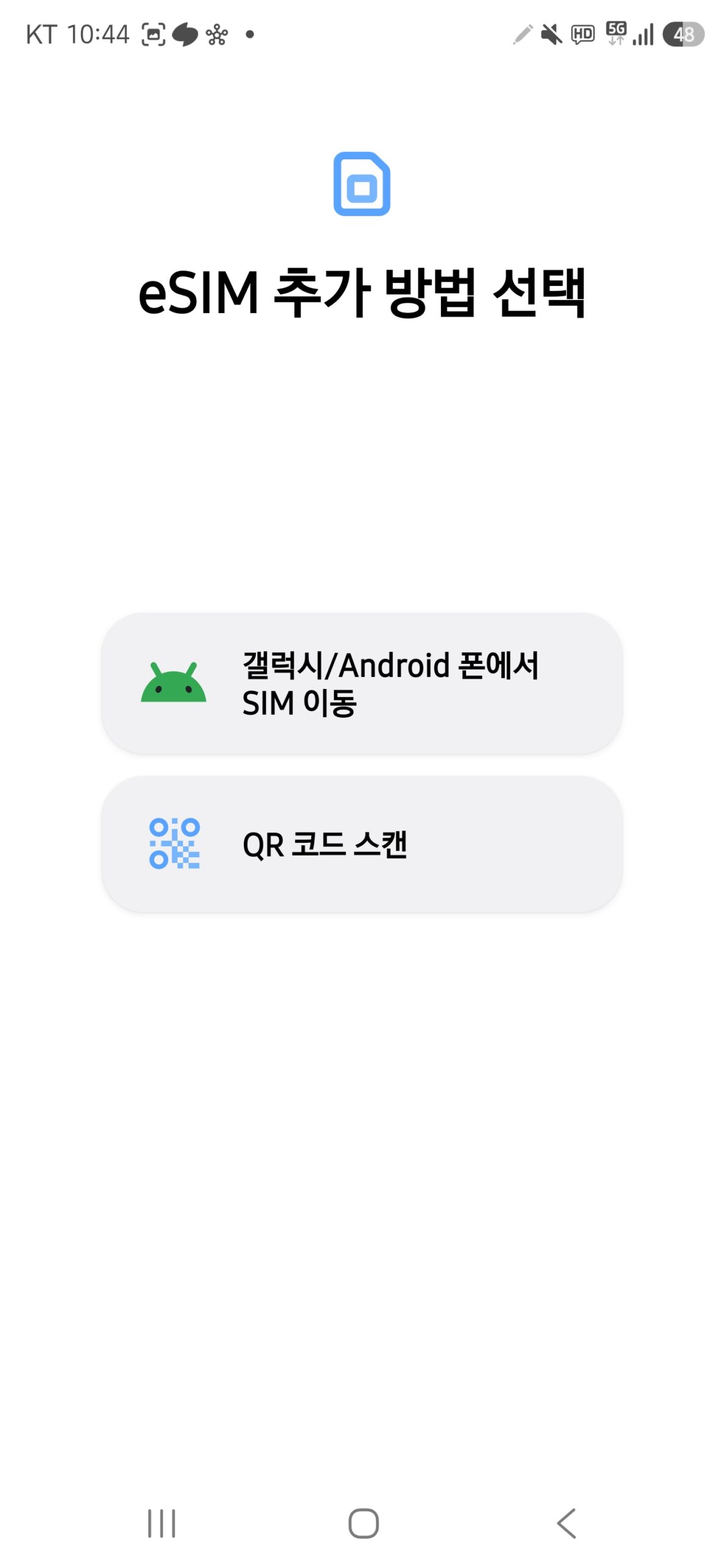
Apple's current travel guidance says an iPhone used with another carrier must be unlocked and connected to Wi-Fi or a hotspot for activation in the normal case. Samsung's eSIM guide documents Settings > Connections > SIM manager and QR-code installation. Google's Pixel help says an EID is required for eSIM.
Do not publish or send a screenshot containing the EID, IMEI, ICCID, activation QR code, phone number, or carrier-account data. Those are device or account identifiers, not useful decoration.
Choose a physical SIM when support and removability matter
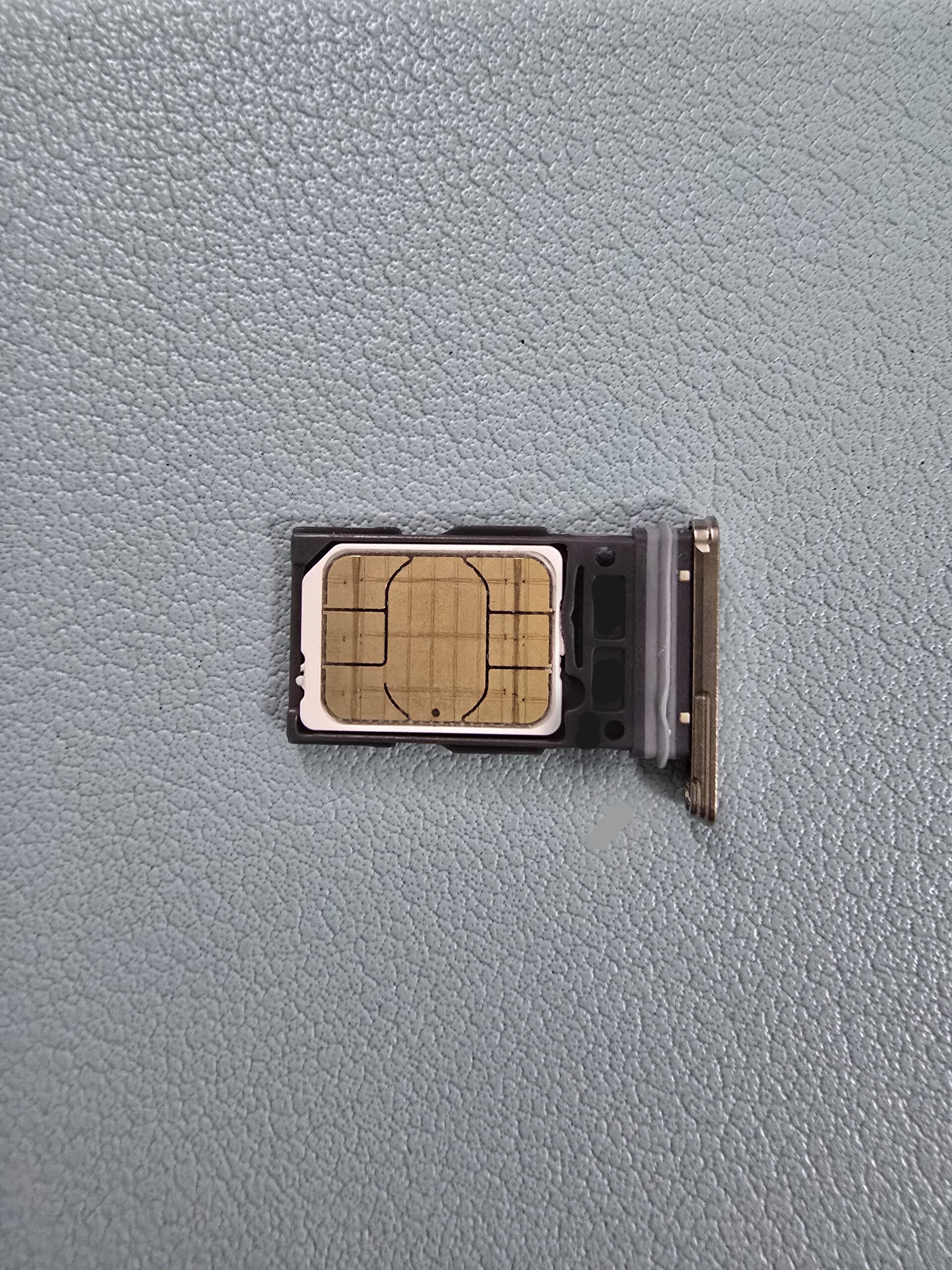
A physical SIM is often safer when the phone has no accepted eSIM path or when you want a counter agent to check the device and complete the setup. Korea Tourism Organization says major airports have local carrier roaming centers offering SIM cards and Wi-Fi router rentals, while tourist SIM products are also sold through specified shops and websites.
Choose it when:
- your phone is unlocked but eSIM compatibility is unclear or excluded;
- you want in-person help at an official counter;
- you need a product variant sold only at the airport;
- keeping an activation QR code is inconvenient; or
- you want to remove the Korean plan physically after the trip.
The physical card does not solve every problem. Confirm the nano-SIM size, store your home SIM in a labeled case, and test mobile data before leaving the counter. A phone locked to its home carrier can reject both a Korean physical SIM and an eSIM.
Choose pocket Wi-Fi only when the group stays together
Pocket Wi-Fi is a separate cellular router that shares one connection over Wi-Fi. LG U+'s current traveler FAQ describes it as a device for multiple phones, tablets, and laptops and says a passport plus a credit or debit card is required for the rental deposit.
It is strongest when:
- two or more people will usually travel together;
- several devices need data;
- the phones are carrier-locked but can join Wi-Fi;
- nobody needs a Korean mobile number on their own phone; and
- one person can own charging, pickup, return, and deposit responsibility.
It is weak when travelers split up. The person carrying the router becomes the group’s connection point. A low battery, forgotten cable, lost device, failed return, or late-night counter closure affects everyone. Save the Wi-Fi name and password privately, carry a power bank, and assign a return owner before leaving the airport.
Decide whether you need a Korean phone number
“Has a number,” “receives SMS,” “can send SMS,” and “supports Korean identity verification” are different claims.
LG U+'s current eSIM page distinguishes data-only from data-plus-voice products. Its current notice says a voice/SMS product can support SMS verification for restaurant and taxi app registration, but not banking or government identity verification; data-only service does not support SMS verification. Other carriers and products can use different boundaries.
Choose a plan with verified voice/SMS capability when you specifically need:
- a restaurant or taxi app that sends a Korean SMS code;
- a hotel, clinic, tour, or delivery service that must call you; or
- outbound domestic calls.
Do not pay more for a Korean number merely because a booking form displays a phone field. First check whether email, Google, Apple, a foreign number, or a global version of the service works. Pocket Wi-Fi alone never gives each connected phone a Korean mobile number.
Check the phone before paying
Use this pre-purchase checklist:
- Confirm the exact model number and country or carrier variant, not only the marketing name.
- Confirm the phone is carrier-unlocked.
- For eSIM, confirm an EID or Add eSIM control exists and compare the exact model with the chosen carrier’s exclusion list.
- For physical SIM, confirm the SIM size and that the tray opens normally.
- Confirm the supported Korean network type and whether the product limits particular imported devices.
- Check whether tethering or hotspot use is allowed and whether it shares the same speed-managed allowance.
- Save the order, QR code, manual activation details, support contact, and cancellation rule away from the phone.
- Keep the home carrier’s roaming off until you intentionally need it; preserve access to the home line if bank or account recovery messages may arrive.
Carrier lists override generic phone support. For example, LG U+’s current tourist eSIM page excludes some device families even though those families may support eSIM elsewhere. Recheck the exact product page immediately before paying.
Compare data honestly
“Unlimited” may mean full-speed data followed by a managed speed, or it may be subject to congestion and fair-use controls. Compare:
- high-speed data amount or daily reset rule;
- managed speed after the allowance;
- 5G versus LTE availability;
- tethering and hotspot permission;
- whether multiple devices share the same limit;
- exact validity units, such as calendar days versus 24-hour periods;
- activation deadline and start event; and
- extension or top-up rules.
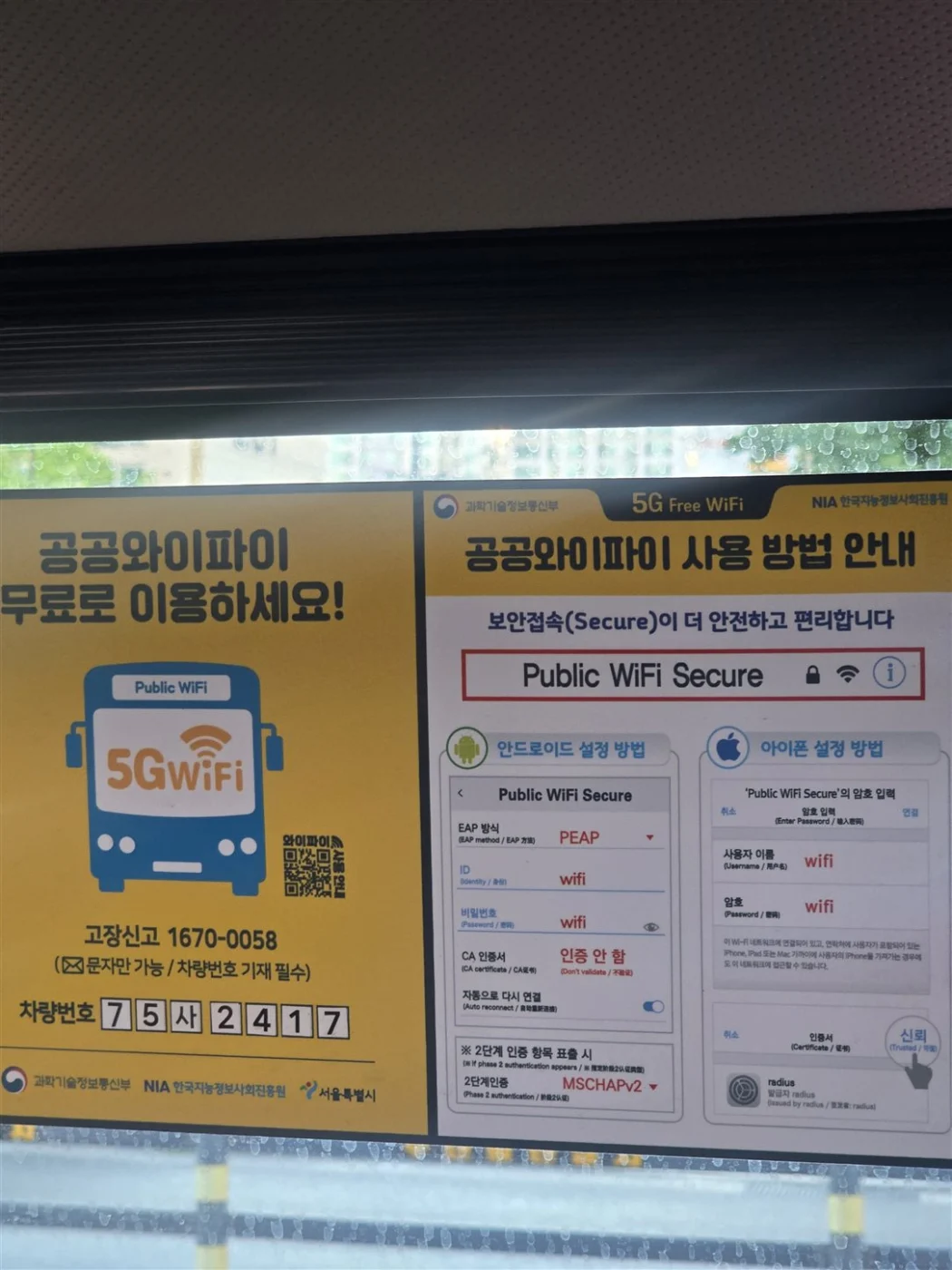
A navigation-heavy solo trip normally needs less data than a group sharing video, cloud backups, and laptops. Download offline language packs and essential documents before departure, but do not plan to rely only on free public Wi-Fi outside major transport and commercial areas. KTO's money-saving guidance warns that reliable public Wi-Fi is not available in every region.
Buy and activate safely
Before buying an eSIM, confirm the exact package’s device support, data/voice/SMS entitlement, activation trigger, validity and refund rules. A data-only plan does not provide Korean SMS identity verification. Do not install early unless that product’s current instructions permit it.
- Choose the connection type from the decision table.
- Open the live official carrier page and recheck device support, number/SMS features, data policy, validity, payment, cancellation, and support.
- Record the exact phone model and carrier-lock state.
- Save the order confirmation and support route outside the phone.
- For eSIM, install only when trusted internet is available and follow the provider’s start-time rule; do not delete a downloaded profile while troubleshooting.
- For physical SIM, store the home SIM and test data before leaving the counter.
- For pocket Wi-Fi, inspect the device, photograph its condition without exposing identifiers, test every group device, and confirm the return location and time.
- Test a real task: open a map, send a message, and—only if included—receive an SMS or place a call.
- Keep a fallback connection until the Korean option works.
Common failure points
- Buying an eSIM before checking carrier lock, EID, exact model, and country variant
- Assuming every travel eSIM includes a Korean number or SMS
- Deleting an activated eSIM profile during troubleshooting
- Scanning the QR code on the same phone without saving it on another screen or paper
- Starting a short plan too early because the activation event was misunderstood
- Removing the home SIM without a labeled storage case
- Leaving an airport counter before testing mobile data
- Choosing pocket Wi-Fi for a group that will separate
- Forgetting a router cable, power bank, deposit, return time, or return owner
- Treating “unlimited” as unlimited full-speed tethering
- Exposing EID, IMEI, ICCID, QR code, phone number, or Wi-Fi password in a screenshot
- Relying on public Wi-Fi as the only rural or late-night connection
Fallback ladder
- Reconnect to trusted airport, hotel, or companion Wi-Fi and reopen the provider’s official setup guide.
- Restart the phone or router and confirm the selected data line, mobile data, roaming rule for the travel line, and APN instructions.
- Stop repeated eSIM deletion or QR scanning; use the official support route while the profile remains installed.
- Return to the carrier counter before leaving the airport when a physical SIM or rented router fails its first test.
- Use the home carrier’s prearranged roaming or a companion’s hotspot temporarily, watching roaming charges.
- If the group must split, move the router with the person who needs it most and give the others an offline meeting point and saved Korean address.
- Preserve receipts, device-condition photos, and return proof for any rental dispute.
Compatibility and privacy
Swipe or scroll to see all columns.
| Item | Current safe conclusion |
|---|---|
| Existing Korean phone number | Not required to buy the tourist connection types checked here |
| Passport | Commonly required for tourist SIM registration and pocket Wi-Fi rental; check the exact provider |
| Foreign card | Usually relevant for online purchase or a rental deposit, but support is product and issuer dependent |
| Korean ID | Not documented as required for the short-term traveler routes checked here |
| English | Available on the checked KTO and carrier pages; counter and device-screen support can vary |
| Personal data | Passport and device identifiers may be processed; never publish them in screenshots |
Keep screenshots to the minimum instructional area. A successful-connection screenshot should show only the line state or test result, never identifiers, activation QR codes, messages, calls, account information, or a live precise location.
Frequently asked questions
Is eSIM always the best choice for Korea?
No. It is the lowest-luggage option only when the phone is unlocked and the exact device and plan are compatible. A physical SIM is safer when staff help or removability matters; pocket Wi-Fi can be better for a group that stays together.
Does a Korean eSIM always include a Korean phone number?
No. Check the exact product. Data-only, incoming-only, and data-plus-voice products have different number, calling, SMS, and top-up rules.
Can a tourist SIM pass Korean identity verification?
Do not assume so. The checked LG U+ notice distinguishes restaurant and taxi app SMS from banking or government identity verification. Verify the exact service and plan.
Can I use pocket Wi-Fi with a carrier-locked phone?
A locked phone can normally join Wi-Fi, so pocket Wi-Fi can avoid changing its cellular plan. It still needs battery power, stays with one person, and must be returned under the rental terms.
Should I install the eSIM before flying?
Follow the exact provider’s start-time and activation-deadline rule. Save the QR code and support details first, connect to trusted internet, and avoid starting a short validity period earlier than intended.
What should I photograph for proof?
For a rental, photograph the device condition and keep return proof without exposing serials or passwords. For an eSIM, capture only a privacy-safe line status after connection; never publish EID, IMEI, ICCID, QR codes, phone numbers, messages, or account data.
Current conditions checked on October 29, 2026
An EID or Add eSIM button proves device capability, not compatibility with every plan. LG U+ currently excludes Google Pixel, Motorola and OPPO from its tourist eSIM guidance. Confirm the exact model and product before paying. Its data-only and voice/SMS plans differ; activation is required within 60 days of purchase, and a downloaded profile cannot be restored after deletion. Pocket Wi-Fi deposits, accepted cards, collection and return conditions depend on the rental operator and product; confirm the current terms instead of applying another operator’s rules.
Official sources
| Source | What it supports |
|---|---|
| Korea Tourism Organization — Electricity & Communications | Airport roaming centers, tourist SIM and Wi-Fi availability, public Wi-Fi context |
| Korea Tourism Organization — Money-saving Tips | Public Wi-Fi is not reliable in every region |
| LG U+ — Korea traveler products | Current eSIM, SIM and Wi-Fi product categories |
| LG U+ — eSIM | Compatibility, EID check, number/SMS boundaries, activation and deletion warnings |
| LG U+ — traveler FAQ | Pocket Wi-Fi deposit, passport, return, multi-device and SIM-lock boundaries |
| SK Telecom — eSIM | Current tourist eSIM identity and service boundaries |
| SK Telecom — purchase and reservation | Passport, plan period, verification and purchase notices |
| Apple — use eSIM while traveling | Unlock, Wi-Fi and dual-line requirements |
| Samsung — use an eSIM with Galaxy | SIM manager, QR setup and EID path |
| Google Pixel — find EID | EID requirement and device identifier path |
Change log
- 2026-10-29 — Rechecked carrier/device requirements and added Motorola to LG U+’s published tourist eSIM exclusions alongside Google Pixel and OPPO. LG U+ distinguishes data-only from voice/SMS plans, requires activation within 60 days of purchase and warns that downloaded profiles cannot be restored after deletion. Follow the exact product’s start and refund rules. Official documents were reviewed. No purchase, payment, booking, journey, app onboarding or physical-device test was performed.
- 2026-09-17 — Added plan-specific EID/device exclusions and the difference between LG U+ and SK Telecom rental deposit-card rules using current operator pages. Targeted correction only; the full-guide verification date is retained.
- 2026-09-16 — Rechecked carrier and device guidance, clarified the linked KKday eSIM limitations, and renewed its review deadline.
- 2026-09-10 — Aligned the quick answer and added a dated, scoped official-source check. The full-guide verification date and field-test status are unchanged.
- 2026-09-10 — Added contextual photographs and instructional screenshots with source and privacy notes. This media update does not change the information-verification date or field-test status.
- 2026-09-01 — Removed the generic AI featured illustration and shortened the verification note. The two author-owned instructional visuals remain; factual guidance and the 2026-08-13 verification date did not change.
- 2026-08-13 — Initial official-source decision draft. Compared eSIM, physical SIM, and pocket Wi-Fi by device compatibility, carrier lock, number and SMS support, tethering, group separation, passport and deposit requirements, activation, return, and failure recovery. Added two commercially reusable real-photo candidates with limitations and a privacy-safe first-party eSIM settings capture requirement. No plan, device, payment, passport check, activation, number, SMS, call, hotspot, counter, pickup, return, refund, or network was independently tested; no AI-generated or recreated interface was used.
- 2026-08-13 — Added an author-owned actual Samsung Galaxy SM-S928N eSIM setup screen showing the Android-transfer and QR-code paths. The selected capture contains no phone number, EID, IMEI, ICCID, account name, activation QR code, or notification content. This is a compatibility screen only; no Korean plan was purchased, activated, or connected.
- 2026-08-13 — Replaced the older licensed physical-SIM illustration with an author-owned actual nano-SIM in a Samsung Galaxy S24 Ultra tray. The contact side exposes no card number, ICCID, phone number, account identifier, or QR code. No plan compatibility, activation, price, or network service was tested.
- 2026-08-13 — Replaced the dated 2015 pocket-Wi-Fi photograph with a photorealistic AI-generated illustration of a generic modern device. The image is labeled as AI-generated, depicts no real carrier or tested rental model, and does not prove coverage, battery life, speed, price, stock, or rental terms.
Official-source checked Checked
The listed official sources were checked for this version of the guide.
Official-source review · 2026-10-29
Rechecked carrier/device requirements and added Motorola to LG U+’s published tourist eSIM exclusions alongside Google Pixel and OPPO. LG U+ distinguishes data-only from voice/SMS plans, requires activation within 60 days of purchase and warns that downloaded profiles cannot be restored after deletion. Follow the exact product’s start and refund rules.
www.lguplus.com · www.lguplus.com · www.skroaming.com · support.apple.com · www.samsung.com
Official documents were reviewed. No purchase, payment, booking, journey, app onboarding or physical-device test was performed.
- Next review
- Change rate
- Reviewed every 30 days
- Sources checked
- 10