Official-source checked
The short answer
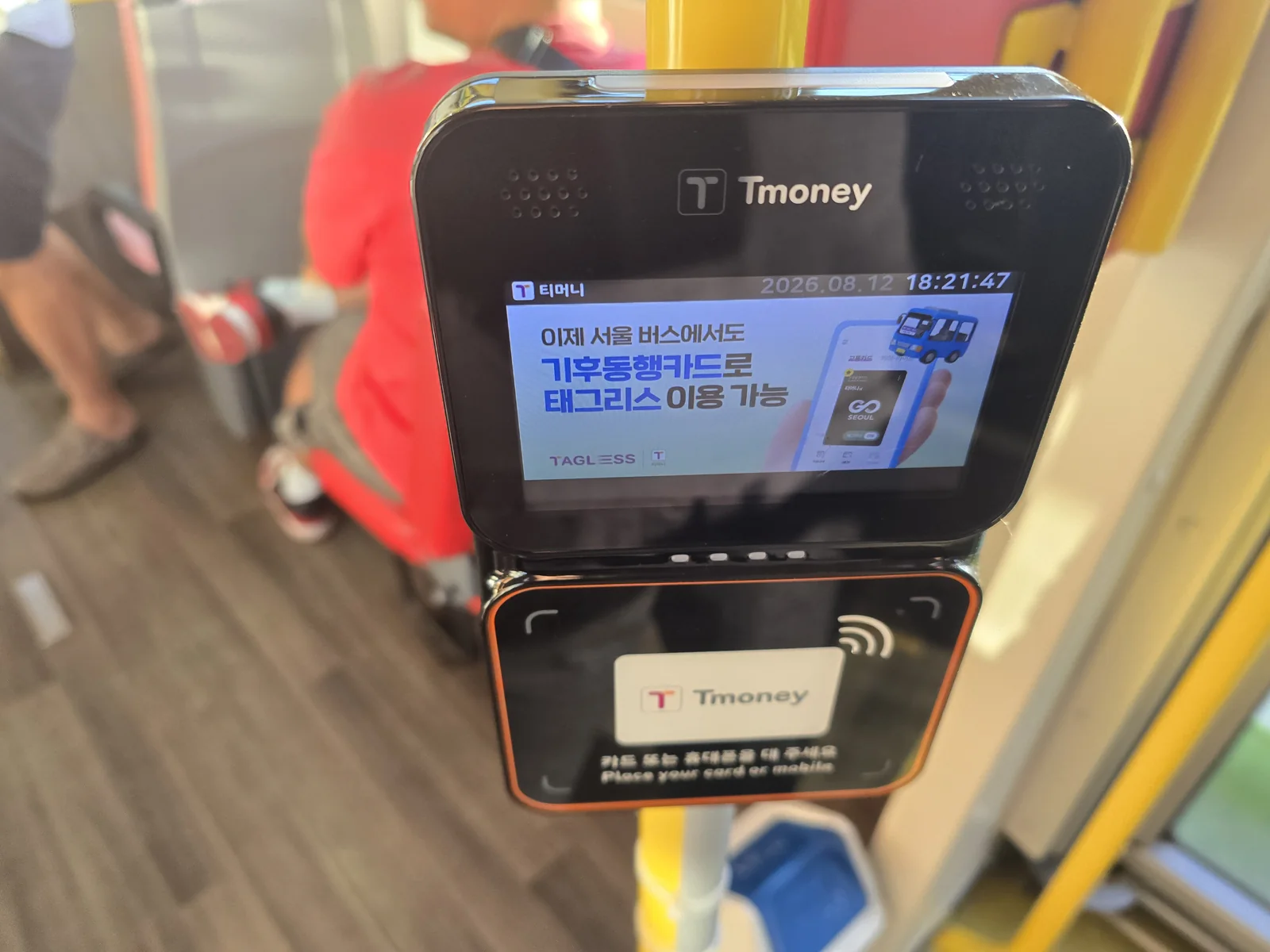
Search the route in NAVER Map and compare the bus number, travel direction, stop name and stop ID with the physical stop. Do not board from the opposite side merely because the number matches. Have a loaded Tmoney or another currently supported fare medium ready before the bus arrives.
Board through the front door, tap once and wait for the reader response. On board, follow the next-stop display or map position. Press the red stop button with enough time for the driver to stop safely. Exit through the rear door and tap the same card on the exit reader. Seoul’s official bus page says a card must be tapped when getting off for transfer treatment and documents a normal 30-minute transfer window, extended to 60 minutes from 9 PM to 7 AM the next day.
Do not assume an ordinary overseas bank card can tap directly on every Seoul bus. Seoul has announced open-loop implementation work, but a rollout plan is not evidence of universal live acceptance. Use only a fare medium explicitly supported by the current reader and official guidance.
Choose a reusable fare product with Tmoney vs Climate Card vs WOWPASS. Save the route with NAVER Map in English before leaving Wi-Fi.
- Korean phone number
- Not required
- Foreign-issued card
- Partially supported
- Korean ID
- Not required
- English support
- Partial English
In this guide
Compatibility details and limits
Swipe or scroll to see all columns.
| Requirement | Current boundary | Safe assumption |
|---|---|---|
| Korean phone number | Not required to ride with a physical supported card | A map app may work over data without a Korean number |
| Foreign-issued bank card | Do not assume direct bus-reader acceptance | Carry a loaded transport card and backup fare route |
| Korean ID | Not required for an ordinary adult fare | Discount products can have separate eligibility rules |
| English support | Stop displays and apps vary | Save the Korean stop name, ID and destination address |
| Cash | Policies and change handling can vary | Do not rely on the driver to sell or load a reusable card |
First choose the correct bus and stop
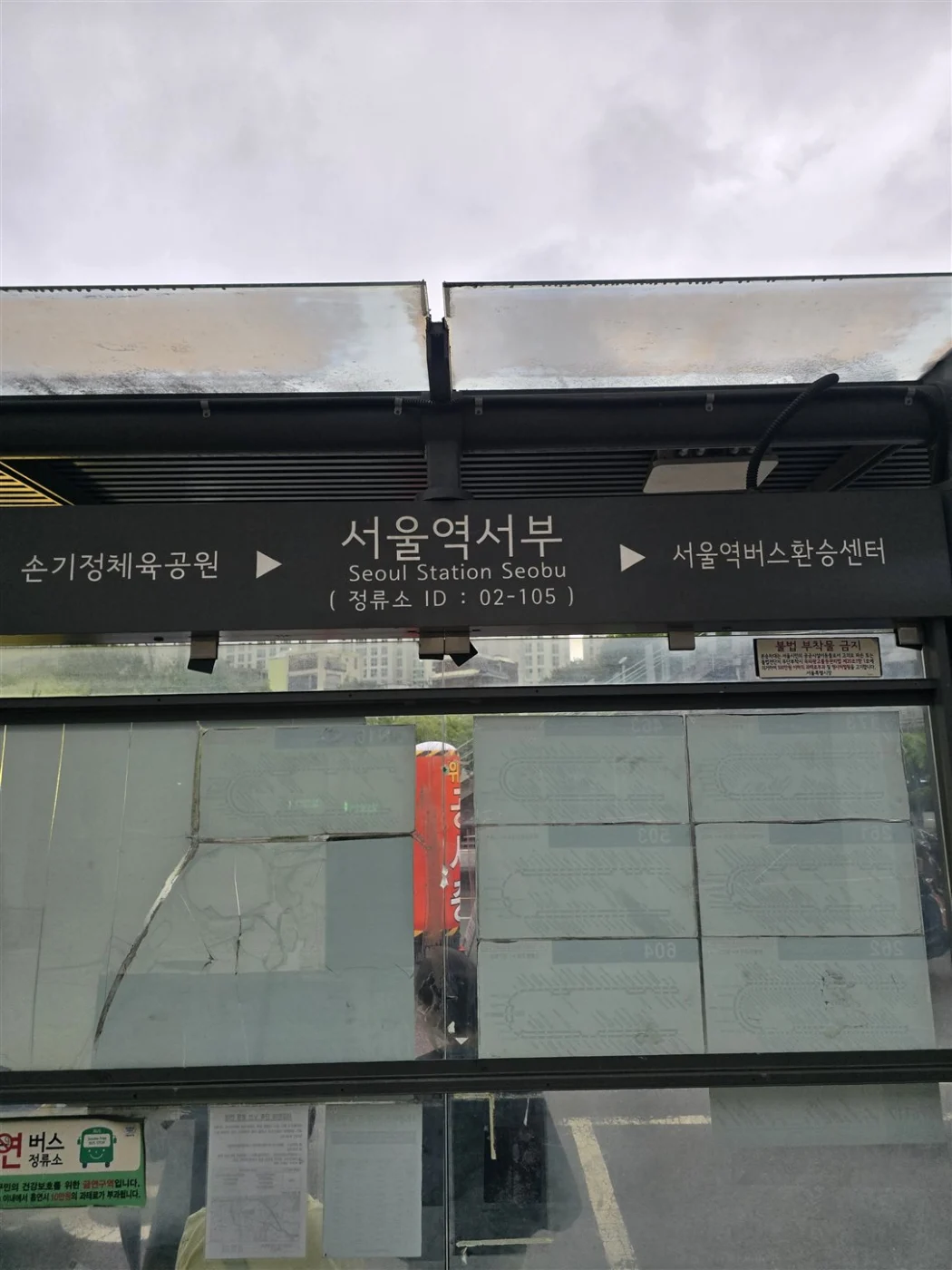
A route number is not enough. The same route travels in two directions, stops can sit on opposite sides of a wide road, and several stops can share a landmark name. In NAVER Map, save the boarding stop, direction, stop ID, destination stop and walking path after arrival.

At the physical stop, compare the stop ID and route list. Watch the destination or next major stop shown on the approaching bus. If the route is diverted or the display differs, do not guess from color alone; ask the driver before tapping or wait for the next confirmed bus.
Use the Korean-address search Guide when a venue name produces several branches. Save the exact Korean destination so a driver, station worker or hotel desk can help if the route fails.
Understand Seoul bus colors without relying on them alone
Seoul uses color and number patterns to classify trunk, branch, circulation and metropolitan routes, but visitors should route by origin and destination rather than memorizing the entire system. A blue or green body can be a useful recognition clue, not proof that the bus goes to your stop.
Some red metropolitan buses, village buses and night routes follow different fares, operating areas or payment conditions. The official live route and stop information controls. Avoid copying a fare or final departure from an old blog because schedules can change for construction, events, weather and service revisions.
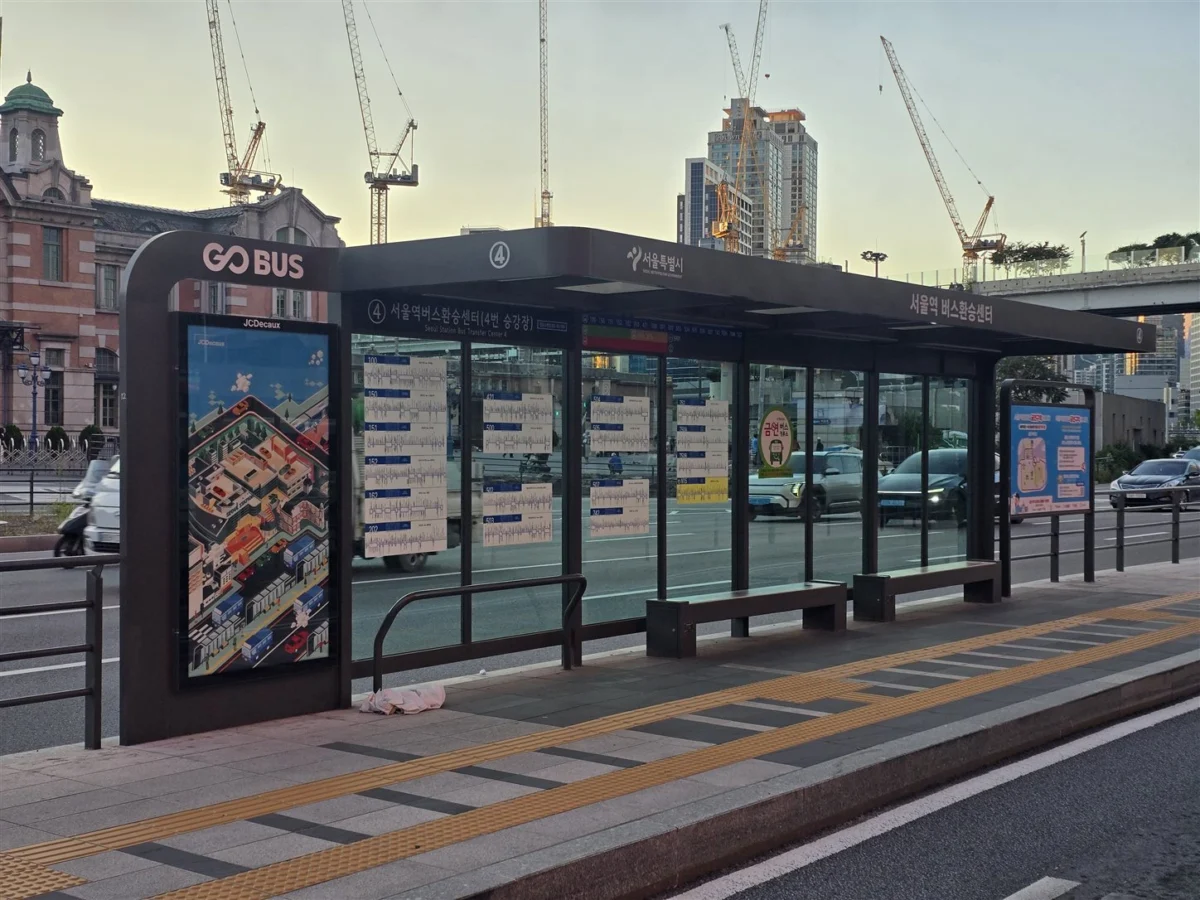
Check the route number on the front and side before boarding. This blue bus displays 604; its color alone does not tell you whether it goes to your destination. Match the number, direction and stop with your route search.

Read the arrival screen
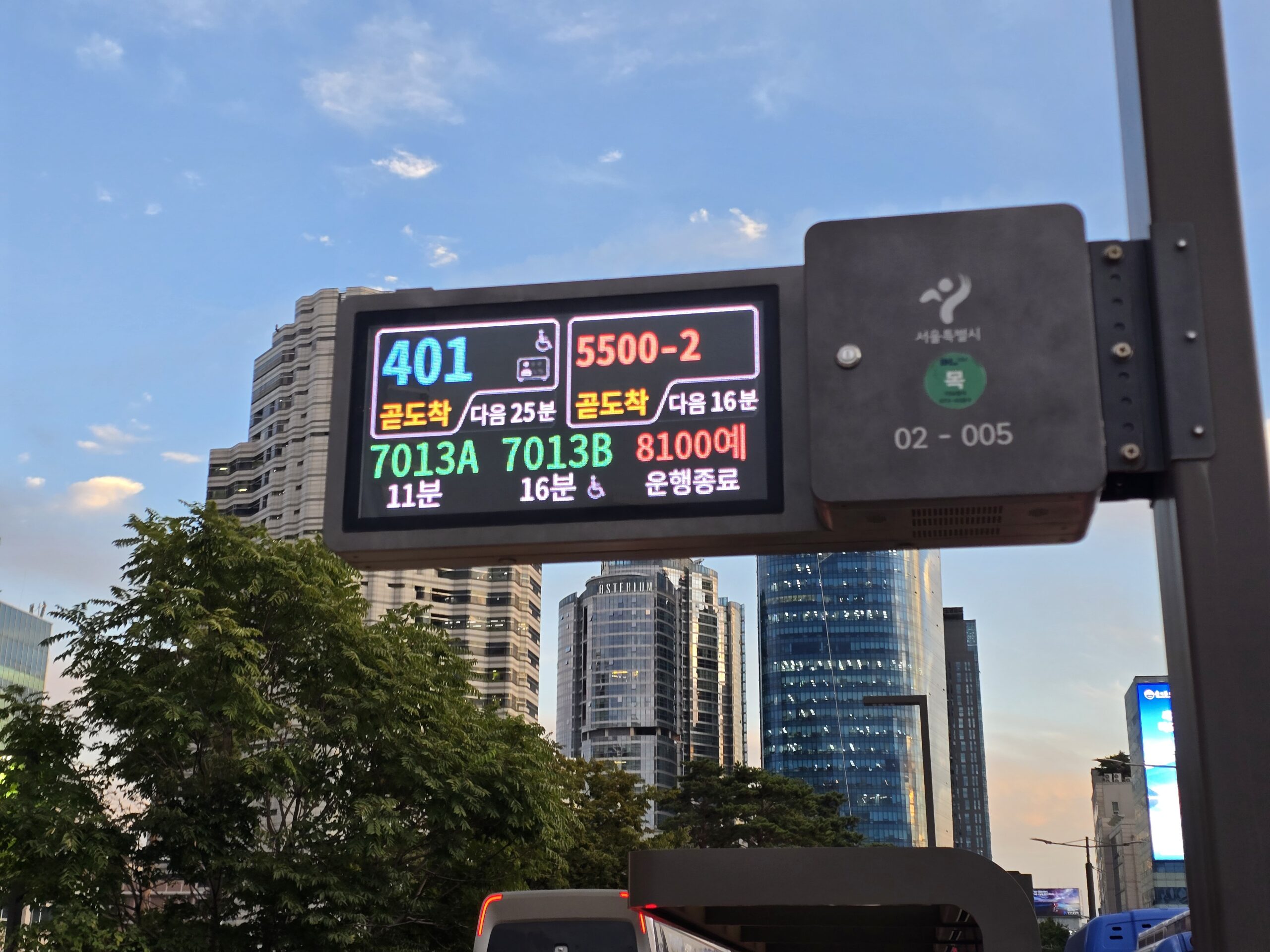
On the display pictured below, route-number colors correspond to the bus type and help you recognize its body color: 401 is blue for a trunk bus, 7013A and 7013B are green for branch buses, and 5500-2 is red for a metropolitan route. This applies to the route numbers, not every word on the screen. Always match the number, direction and stop ID as well.
Swipe or scroll to see all columns.
| On the screen | What to do with it |
|---|---|
| 곧도착 | Arriving soon: watch for your bus. |
| 다음 25분 | The bus after the one arriving soon is estimated in 25 minutes. |
| 11분 / 16분 | Estimated arrival in 11 / 16 minutes. |
| 운행종료 | Service has ended according to the display; check another route. This does not mean the route is permanently closed. |
| Wheelchair symbol | A low-floor bus indicator; check the actual stop and boarding arrangements. |
| 02-005 | The stop ID. Match it with the stop in your route search. |
Seoul’s display guide explains the arriving-soon and next-bus fields. Screen layouts vary by stop.
Prepare the fare before the bus arrives
Load the transport card at a supported store or machine before reaching a busy stop. The driver is not the right place to troubleshoot a foreign bank card, compare passes or load value. Keep the card separate from other contactless cards so the reader does not detect the wrong one.
For most individuals, use one physical card per traveler. Seoul’s official page describes a multi-passenger bus procedure, but its transfer rules are narrower and subway transfer discounts are not applied to multi-passenger boarding. A group that will transfer or separate should use individual cards.
Do not load a large balance before the first card and route work. The cash planning Guide explains why a modest fallback is safer than carrying or loading an arbitrary large amount.
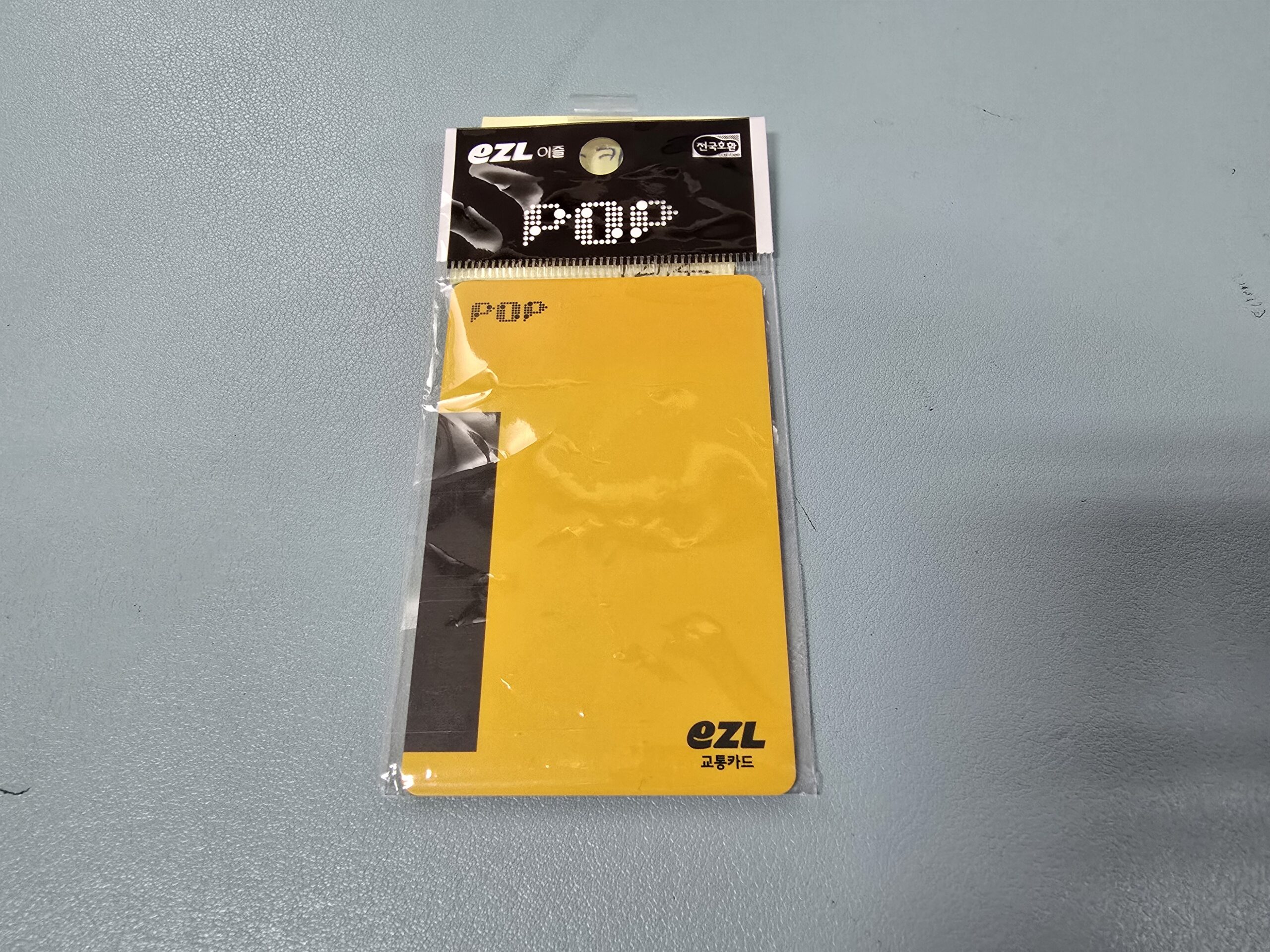
The yellow card below is a POP EZL physical transit card, another card brand you may encounter at a convenience store. Identify the card by its logo and ask for a top-up for that product. Buying the plastic card does not tell you how much usable balance it contains. The operator’s guide lists purchase and reload channels; app features and retail-payment support depend on the card type.
Step 1 — Board through the front and tap once
Let passengers exit before boarding if doors or stop layout overlap. Enter through the front door unless the bus or staff directs otherwise. Hold the prepared card flat against the marked reader and wait for the audible or visual result.
If the reader reports a low balance or error, step aside without blocking the door. Do not tap multiple cards rapidly. Show the driver the card or message, then use the official fallback available for that vehicle or leave safely and reload before the next bus.
After a successful tap, move away from the entrance and hold a rail. Seoul buses can accelerate or brake quickly, and luggage should not obstruct the aisle or door.
Step 2 — Track the next stops
Keep the map route open but do not stare at the phone while standing unsecured. Compare the onboard display and announcement with the next stop in the app. GPS can lag in tunnels or dense streets, so use the sequence of stop names rather than distance alone.
For a late-night or low-frequency trip, save a taxi or walking fallback before boarding. If the bus ends service early or diverts, you need the current Korean address, not just an English attraction name. The taxi Guide provides the safe fallback sequence.
Step 3 — Request the stop early
Press a stop button after the bus leaves the previous stop or when the next-stop display confirms your destination. Wait for the request light or sound. Do not walk toward the door while the bus is moving if it is unsafe; prepare belongings and move only when stable.
If nobody requests a stop and nobody is waiting there, the bus may continue. The map showing the stop does not itself notify the driver.
Step 4 — Exit through the rear and tap off
Use the rear door when directed and tap the same card on the exit reader. Wait for the response, then step clear of the bus and away from traffic. Seoul’s official guidance says the card must be tapped when getting off for transfer rules.
An exit tap also helps the system calculate the journey. Forgetting it can affect the next fare or transfer. Do not reach back into a closing door to correct a missed tap; move to safety and ask the transport operator how the card will be treated.
Step 5 — Protect the transfer
The current Seoul page states that the next boarding normally must happen within 30 minutes after tapping off, or within 60 minutes from 9 PM to 7 AM the next day. It also describes transfers up to four times, producing up to five linked boardings, subject to route and fare rules.
The same vehicle or same route does not qualify as a transfer under the published rule. Multi-passenger transfers have additional conditions. Because rules and fares can change, treat the reader response and live operator guidance as controlling.
Use the same individual card throughout the linked trip. Switching cards between bus and subway breaks the payment trail even if both cards belong to you.
If you board the wrong bus
Do not distract the driver while the vehicle is moving. Confirm the current stop and direction in the map. Request the next safe stop, tap off and exit. Recalculate from that stop rather than crossing a dangerous road or trying to leave between stops.
If the error occurs late at night, compare the last remaining bus or subway with an official taxi. Send the saved Korean destination to your accommodation or companion. Never accept a ride from an unmarked vehicle or a stranger claiming the normal service has ended.
If something goes wrong
For the search and collection steps, use our lost-property guide: find a matching record, confirm its keeper and arrange pickup.
Swipe or scroll to see all columns.
| Problem | Likely boundary | Safest next action |
|---|---|---|
| Bus number matches but direction is wrong | Opposite-side stop or loop route | Exit at the next safe stop and recalculate |
| Reader says insufficient balance | Card value is too low | Follow the driver’s direction, then reload through a supported official channel |
| Two cards trigger together | Wallet contains multiple contactless cards | Separate one card and retry only when directed |
| Stop is missed | Button was late, GPS lagged or route changed | Request the next stop, exit safely and reroute |
| Exit tap fails | Reader, card or timing issue | Do not block or reach into closing doors; contact official support afterward |
| Transfer discount is missing | Time, route, card or multi-passenger condition failed | Keep the journey record and ask the operator; do not argue with the driver |
| Last bus no longer appears | Schedule or service changed | Use an official taxi or another verified route |
For a bag left on a bus, record the route, direction, stop and approximate time, then follow the non-emergency lost-property and travel-help guidance. Use the emergency route only for an actual emergency.
Useful Korean phrases
이 버스가 이 정류장에 가나요?— Does this bus go to this stop?교통카드 잔액이 부족한가요?— Is the transport-card balance too low?여기에서 내려 주세요.— Please let me off here.반대 방향 버스를 탔나요?— Did I take the bus in the wrong direction?환승이 적용됐나요?— Was the transfer applied?
Safety and accessibility
Hold a rail, keep luggage out of doors and aisles, and wait for a safe moment to move. Priority seats and wheelchair areas must remain available. Travelers with large luggage, a stroller or reduced mobility should inspect the stop and vehicle route in advance and keep a taxi fallback.
Use the driver only for a short route or fare question. For a dispute, lost item or detailed policy, note the bus number, route, time, direction and stop, then use the official operator or Seoul call-center route.
Frequently asked questions
Do I tap when leaving a Seoul bus?
Yes. The official Seoul page says to tap when getting off, especially to preserve transfer treatment.
Can two people share one Tmoney card?
Seoul documents a driver-assisted multi-passenger process, but transfer conditions are restricted and subway transfer discounts do not apply. Individual cards are simpler.
Can I tap my foreign Visa or Mastercard directly?
Do not assume so. Use only a payment medium explicitly supported on the current vehicle and by the official operator.
What if I miss my stop?
Request the next stop, exit safely, tap off and reroute. Never ask to leave between stops.
Official-source review — October 5, 2026
Rechecked the published practical claims against the following current primary sources. This is an official-source review, not a completed transaction or journey.
tap-off; 30-minute / 21:00–07:00 60-minute window; four transfers/five boardings; same-route and group limits; planned open-loop rollout is not universal acceptance
english.seoul.go.kr · english.seoul.go.kr · pay.tmoney.co.kr · mediahub.seoul.go.kr
No purchase, activation, account verification, withdrawal, payment, booking, ride or on-site journey was performed in this review. Existing screenshots keep their original dates and limitations. Live operator and issuer rules control; individual success remains unverified.
Official sources
- Seoul Metropolitan Government: Bus — numbering, supported fare-media categories, tap-off and transfer rules; checked September 2, 2026.
- Seoul Metropolitan Government: Public Transportation — visitor-facing boarding and exit sequence; checked September 2, 2026.
- Seoul TOPIS bus information — official live route starting point; checked September 2, 2026.
- Tmoney foreign-language guide — transport-card use and support boundary; checked September 2, 2026.
- Seoul open-loop implementation announcement — implementation scope and rollout caution; checked September 2, 2026.
Change log
- 2026-10-06 — Simplified repeated review text and/or added task guidance and clearly labeled calculation examples. Original evidence dates, verification status and test limits are unchanged.
- 2026-10-05 — Rechecked current primary-source practical conditions and recovery limits. No transaction or journey was field-tested.
- 2026-09-17 — Added contextual links to the next relevant help guide.
- 2026-09-17 — Added original photographs with practical identification instructions. Full-guide verification date and transaction-test status are unchanged.
- 2026-09-16 — Added practical photo examples and screen-reading instructions. The Guide-wide verification date and transaction-test status are unchanged.
- 2026-09-10 — Added contextual photographs and instructional screenshots with source and privacy notes. This media update does not change the information-verification date or field-test status.
- 2026-09-10 — Added a user-supplied airport-bus sign photograph with contextual caption and privacy review. Existing verification date, field-test status and featured image retained.
- 2026-09-02 — Check the bus stop ID and direction, use the correct boarding and exit sequence, and recover safely if you miss a stop.
- 2026-09-02 — Verification scope: No fare, card, reader, bus, route, transfer or schedule was independently tested for this Guide.
- 2026-10-30 — Added the same-language lost-property retrieval guide; existing verification date and scope preserved.
Official-source checked Checked
The listed official sources were checked for this version of the guide.
Official-source review: October 5, 2026. No transaction or journey was tested. See the detailed review and sources below.
- Next review
- Change rate
- Reviewed every 30 days
- Sources checked
- 7